How to Translate Voice to Text for Accurate Transcription
Voice technology has become an important part of daily communication. People use their voices to send messages, create notes, record interviews, write documents, and capture ideas without typing every word manually. As speech recognition technology continues to improve, converting spoken words into written content has become faster and more accessible. Learning how to translate voice to text can save time, improve productivity, and make it easier to preserve important information.
Whether you are a student recording a lecture, a business professional documenting a meeting, a content creator preparing a script, or someone who simply prefers speaking over typing, voice-to-text technology can be extremely useful. However, getting accurate results requires more than pressing a microphone button. Audio quality, pronunciation, background noise, language settings, and the tool you use can all affect the final text.
This guide explains the complete process, the technology behind speech recognition, practical methods, common challenges, and useful tips for improving accuracy.
What Does Voice to Text Mean?
Voice to text is a technology that converts spoken language into written words. A person speaks into a microphone, and speech recognition software analyzes the audio and produces text based on the words it recognizes.
In the past, speech recognition systems were often slow and inaccurate. They struggled with different accents, fast speech, and background noise. Modern technology has improved significantly, making voice recognition useful for everyday tasks.
When learning how to translate voice to text, it is helpful to understand that the process usually involves speech recognition. The software listens to audio, identifies patterns in spoken language, and converts those patterns into written words.
Some systems work in real time, meaning the text appears while you are speaking. Others process an existing audio or video recording and generate a transcript after the recording is uploaded.
Voice-to-text technology can be used on smartphones, computers, tablets, recording devices, and specialized applications.
How Voice Recognition Technology Works
Voice-to-text systems may appear simple from the user’s perspective, but several processes take place behind the scenes. The system first receives an audio signal through a microphone or audio file.
The software then analyzes the sound and separates speech from other audio elements. It looks for patterns associated with words and language. Advanced speech recognition systems use large amounts of language data to predict what a speaker is saying.
The system does not simply match individual sounds with individual words. It also considers context. For example, some words sound similar but have different meanings. Context helps the software select the most likely word.
Modern systems can also use language models to improve grammar and sentence structure. This is one reason why voice recognition technology has become much more accurate.
Understanding this process helps users realize why clear audio and proper pronunciation matter. The better the input, the better the system can usually understand the speaker.
How to Translate Voice to Text on a Smartphone
Smartphones are one of the easiest ways to convert speech into written content. Most modern mobile devices include built-in voice typing features.
To begin, open an application where you can enter text. This may be a messaging application, notes application, document editor, or search field. When the keyboard appears, look for the microphone feature.
After activating the microphone, speak clearly and naturally. Your spoken words should begin appearing as text. When you finish speaking, stop the recording and review the generated content.
For people wondering how to translate voice to text quickly during daily activities, smartphones offer a convenient solution. You can dictate shopping lists, messages, reminders, ideas, and short documents without opening a computer.
However, mobile voice typing works best when the environment is relatively quiet. Loud conversations, traffic, television sounds, and poor microphone quality can reduce accuracy.
It is also important to check the selected language. If the device is set to the wrong language, the software may misunderstand your speech completely.
Using Voice to Text on a Computer
Computers are another excellent option for voice transcription. Many operating systems and applications support voice typing.
The process generally begins by enabling the computer’s microphone. After that, you can activate the voice typing feature and begin speaking.
A computer can be especially useful when creating longer documents. Instead of typing thousands of words, you can speak naturally and allow the software to convert your speech into text.
This method can be helpful for writers, researchers, students, professionals, and people who spend long hours creating documents.
When exploring how to translate voice to text on a computer, make sure the microphone is working properly before starting. A high-quality microphone can improve recognition and reduce mistakes.
It is also helpful to speak in complete sentences and pause briefly between ideas. This gives the software a better opportunity to recognize the structure of your speech.
Converting Recorded Audio Into Text
Voice-to-text technology is not limited to live speech. You can also convert previously recorded audio into written text.
This is useful for interviews, meetings, lectures, podcasts, phone recordings, and other audio content. Instead of listening to the entire recording and typing every sentence manually, you can use transcription technology to generate an initial draft.
The general process involves uploading the audio file to a transcription system. The system analyzes the recording and creates written text based on the speech it detects.
After the transcript is generated, it should be reviewed carefully. Even advanced software can make mistakes, particularly when multiple people are speaking.
Recorded audio can also contain background sounds, interruptions, overlapping conversations, and unclear pronunciation. These factors may affect the final result.
For this reason, people learning how to translate voice to text from recorded audio should always plan time for editing and proofreading.
Choosing the Right Language
Language selection is one of the most important parts of voice-to-text conversion. Speech recognition software needs to know which language the speaker is using.
Many people speak more than one language during a conversation. For example, someone may switch between English and Urdu. Others may mix technical English words with their native language.
This can create difficulties for speech recognition software. A system configured for only one language may incorrectly interpret words from another language.
Before starting, check the available language settings. Select the language that matches the majority of your speech.
If your voice-to-text system supports multiple languages, explore whether it can recognize language switching. This can be particularly helpful for multilingual speakers.
Correct language selection is a basic but essential step in understanding how to translate voice to text accurately.
Speak Clearly for Better Results
You do not need to speak like a professional presenter to use voice recognition technology. However, clear speech can significantly improve results.
Try to pronounce words naturally and avoid speaking too quickly. Extremely fast speech can cause words to blend together, making them harder for the software to recognize.
Speaking too quietly can also create problems. The microphone needs to receive a clear audio signal.
You should also avoid shouting. Speaking loudly does not necessarily improve accuracy. A normal, clear speaking voice is usually the best option.
If you are dictating a long document, take short pauses between sentences and paragraphs. This can make the final text easier to organize and review.
Clear communication remains one of the most effective ways to improve voice-to-text accuracy.
Reduce Background Noise
Background noise is a common reason for transcription errors. A microphone may capture many sounds besides your voice.
Traffic, fans, music, television, conversations, and keyboard sounds can interfere with speech recognition.
If possible, record in a quiet location. Close unnecessary applications or devices that produce noise.
Position the microphone close enough to capture your voice clearly. However, avoid placing it so close that breathing sounds become distracting.
Headphones with built-in microphones can sometimes provide better audio because the microphone remains close to the speaker.
A clean recording gives the software more useful information and fewer distractions.
Anyone researching how to translate voice to text should understand that improving the audio environment can be just as important as selecting the right software.
Use Proper Punctuation While Dictating
One challenge with voice typing is punctuation. When people type, they automatically add periods, commas, question marks, and other symbols. During dictation, these elements may need to be spoken or added later.
Some voice recognition systems can understand commands for punctuation. Others automatically insert punctuation based on pauses and sentence structure.
For important documents, it is still necessary to review punctuation after the transcription is complete.
You may also need to correct paragraph breaks, headings, quotation marks, and formatting.
If you are dictating professional content, speak your ideas clearly and organize your thoughts before beginning. A well-structured explanation usually produces a cleaner transcript.
Voice-to-text technology can create the words, but human review is often necessary to create a polished final document.
How to Translate Voice to Text for Meetings
Meetings often contain valuable information, including decisions, instructions, ideas, and action items. Creating written records manually can be time-consuming.
Voice transcription can help capture conversations and transform spoken discussions into searchable text.
However, meetings are more difficult to transcribe than a single speaker. Participants may interrupt each other or speak at the same time.
Different voices, accents, and microphone positions can also affect accuracy.
For better results, encourage participants to speak one at a time. Use a good recording device and place it where all speakers can be heard.
After transcription, review the document and identify important points. You may want to organize the transcript into sections such as discussion topics, decisions, and future tasks.
A raw transcript can be useful, but an edited meeting summary is often easier to read.
How to Translate Voice to Text for Interviews
Interviews are another popular use for speech-to-text technology. Journalists, researchers, students, and content creators often need written versions of recorded conversations.
Manual transcription can take several hours, especially when the recording is long. Voice recognition technology can reduce the amount of time required.
Before recording an interview, test your microphone. Make sure both the interviewer and interviewee can be heard clearly.
Ask speakers to avoid talking over one another whenever possible. Overlapping speech can be difficult for any transcription system to understand.
After converting the recording, listen to important sections again. Names, dates, numbers, and technical terms should be checked carefully.
This process ensures that the final document accurately represents what was said.
Translating Speech and Transcribing Speech Are Different
It is important to understand the difference between transcription and translation.
Transcription converts spoken words into written text in the same language. For example, spoken English becomes written English.
Translation changes content from one language into another. For example, spoken English may eventually become written Urdu.
Some people use the phrase how to translate voice to text when they actually mean speech transcription. Others want both transcription and language translation.
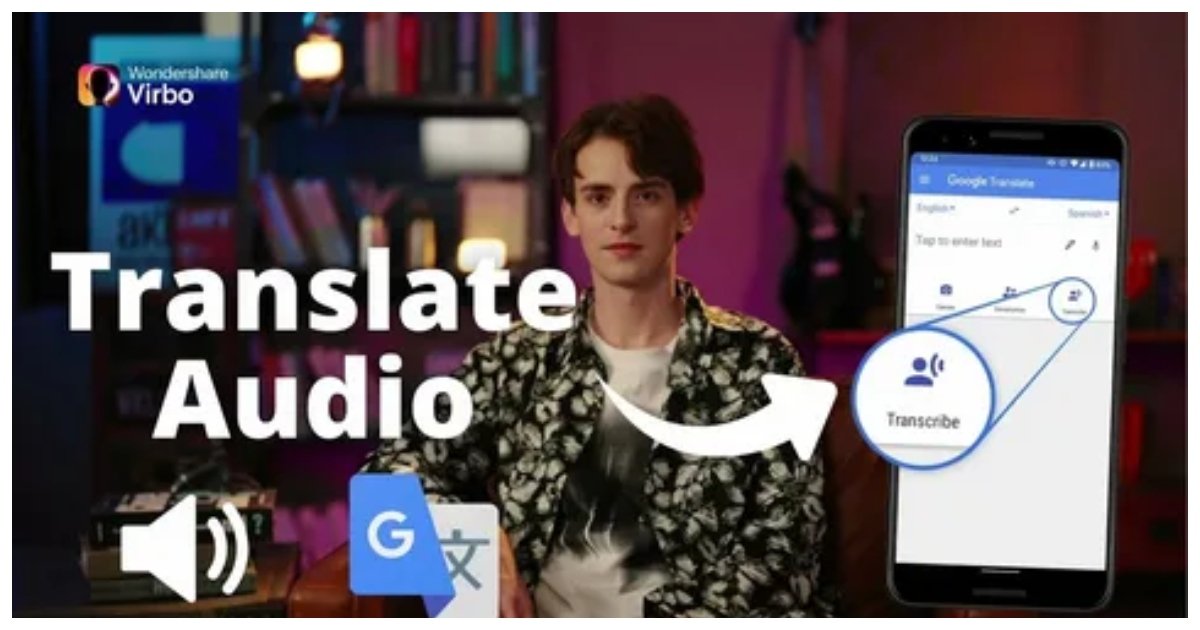
If your goal is to create text in another language, the process may involve two stages. First, the spoken language is converted into text. Then, the text is translated into the target language.
Some advanced systems may perform these tasks together, but it is still useful to understand the difference.
Knowing exactly what result you need will help you choose the right workflow.
Common Problems With Voice-to-Text Conversion
Even modern speech recognition systems can make mistakes. One common problem is misheard words.
Words that sound similar can be confused. Names and unusual terms may also be recognized incorrectly.
Strong accents can sometimes affect accuracy, although modern systems are becoming better at recognizing different speaking styles.
Technical vocabulary presents another challenge. A general voice recognition system may not recognize specialized terms used in medicine, engineering, law, technology, or other fields.
Multiple speakers can also create problems. If two people talk simultaneously, the system may struggle to separate their voices.
Poor audio quality is another major issue. A recording with echoes, distortion, or background noise may produce inaccurate text.
Understanding these limitations is important when learning how to translate voice to text effectively.
How to Improve Voice-to-Text Accuracy
Improving transcription accuracy often requires a combination of good equipment and good speaking habits.
Start with a reliable microphone. You do not always need expensive equipment, but the microphone should capture clear audio.
Choose a quiet environment whenever possible. Reducing unnecessary sounds gives the software a better chance of recognizing speech.
Speak naturally but clearly. Avoid rushing through important sentences.
Check the language settings before beginning. If you use specialized vocabulary, review those sections carefully after transcription.
You should also proofread the final text. Automated transcription is useful, but it should not always be considered perfect.
For important professional documents, review every section before sharing or publishing the content.
Small corrections can significantly improve the quality and credibility of the final text.
Voice to Text for Students
Students can benefit from voice-to-text technology in many ways. It can help with lecture notes, research ideas, essay planning, and study preparation.
Instead of typing an idea immediately, a student can speak and save the information as text.
Voice typing can also be useful when creating the first draft of an assignment. Speaking ideas aloud may feel more natural for some people than typing.
However, students should still review and edit their work. A voice-generated transcript may contain grammar errors or incorrect words.
Voice-to-text technology should be viewed as a productivity tool rather than a replacement for careful writing.
It can help students capture ideas quickly and spend more time improving the quality of their work.
Voice to Text for Content Creators
Content creators often need to produce large amounts of written material. Scripts, captions, article ideas, video notes, and content plans can take time to create.
Voice dictation offers a faster way to capture thoughts.
A creator can speak freely about a topic and later organize the transcript into a polished piece of content.
This method can be especially useful during brainstorming. Speaking ideas aloud often allows thoughts to flow more naturally.
When using how to translate voice to text as part of a content creation workflow, the transcript should usually be treated as a first draft.
The content can then be edited for clarity, structure, grammar, and audience engagement.
This combination of voice input and manual editing can create an efficient writing process.
Voice to Text for Business Professionals
Business professionals often deal with meetings, reports, emails, notes, and documentation.
Voice-to-text technology can reduce the amount of time spent typing routine information.
For example, professionals can dictate notes after a meeting while the details are still fresh. They can record ideas during travel or create drafts of documents by speaking.
This can improve productivity, especially for people who communicate frequently.
However, sensitive business information should be handled carefully. Before using any voice transcription service, users should understand how their recordings and data are managed.
Confidential information should always be treated responsibly.
Accuracy is also important in business communication. Incorrect names, numbers, or instructions can create confusion.
Always review important documents before sending them.
The Importance of Proofreading
One of the biggest mistakes people make is assuming that automatically generated text is completely accurate.
Voice recognition technology can produce impressive results, but errors are still possible.
A word may be incorrect even when the sentence appears understandable. Names may be misspelled. Numbers can be confused. Punctuation may be missing.
Proofreading helps identify these problems.
For short messages, a quick review may be enough. For professional documents, interviews, academic content, or legal information, a more detailed review is necessary.
Read the transcript carefully and compare important sections with the original audio.
This step transforms a rough automated transcript into a reliable document.
When Voice to Text May Not Be the Best Option
Voice-to-text technology is useful, but it is not ideal for every situation.
A noisy environment may make accurate transcription difficult. A conversation involving several people speaking simultaneously can also create problems.
Some information requires careful formatting that may be faster to type manually.
Highly confidential discussions may require additional privacy considerations.
Voice typing can also be inconvenient in public places where speaking aloud may disturb others.
The best approach depends on the task. For quick notes and long spoken ideas, voice-to-text can be extremely efficient. For highly detailed formatting, traditional typing may still be better.
Using both methods can provide the best balance.
The Future of Voice-to-Text Technology
Speech recognition technology will likely continue to improve. Systems are becoming better at understanding accents, different languages, natural conversation, and contextual meaning.
Future tools may offer stronger real-time transcription and improved recognition of multiple speakers.
Voice technology may also become more integrated with everyday devices. People could use speech to create documents, control applications, search information, and manage digital tasks.
As these systems improve, understanding how to translate voice to text will become increasingly useful.
However, technology will not eliminate the need for human judgment. Accuracy, context, privacy, and editing will remain important.
The most effective approach will likely combine advanced technology with careful human review.
Conclusion
Voice-to-text technology has changed the way people capture and organize spoken information. It can help transform conversations, ideas, lectures, meetings, and recordings into written content quickly and efficiently.
Learning how to translate voice to text begins with choosing a suitable device or transcription method, selecting the correct language, and providing clear audio. Speaking clearly, reducing background noise, and using a reliable microphone can greatly improve the results.
Whether you are using a smartphone, computer, or recorded audio file, the final step should always include reviewing the generated text. Automated systems can save valuable time, but proofreading ensures that the content is accurate and easy to understand.
As voice recognition continues to develop, speech-to-text technology will become even more useful in education, business, content creation, and everyday communication. By understanding the process and following good practices, anyone can use voice-to-text tools more effectively and turn spoken words into useful written information.