Free Text to Speech MP3 Download Online – Easy Guide in 2026
You have some text. Maybe it is a school essay. Maybe it is a script for a YouTube video. Maybe it is a long article you want to listen to instead of read. Now you want that text as an MP3 file. Free. Fast. No stress.
Good news. You can turn text to speech MP3 download free online in just a few minutes. You do not need costly software. You do not need a studio or a microphone. In this guide, you will learn how it works, which free tools give you MP3 files, and what to do when a tool only gives you a WAV file.
Why Everyone Wants MP3 Audio
MP3 is the most popular audio format in the world. Almost every phone, car stereo, and laptop plays MP3 files with no extra app. That is the biggest reason people want MP3.
MP3 files are also small. A five-minute voice recording might be only a few megabytes. That makes it easy to share the file, upload it to YouTube, or send it to a friend on WhatsApp.
Other formats like WAV sound great, but the files are big. Some players also have trouble with them. So when people search for text to speech MP3 download free online, they want one simple thing. A small audio file that works everywhere.
How Text to Speech to MP3 Works
The process is simple, and it is the same on almost every free tool.
First, you paste or type your text into a free text to speech tool on the web. Next, you pick a voice. Most tools offer male and female voices, and many let you change the speed of the voice.
Then you click a button like Generate or Play. The tool reads your text out loud with a computer voice. You can listen and check if it sounds right.
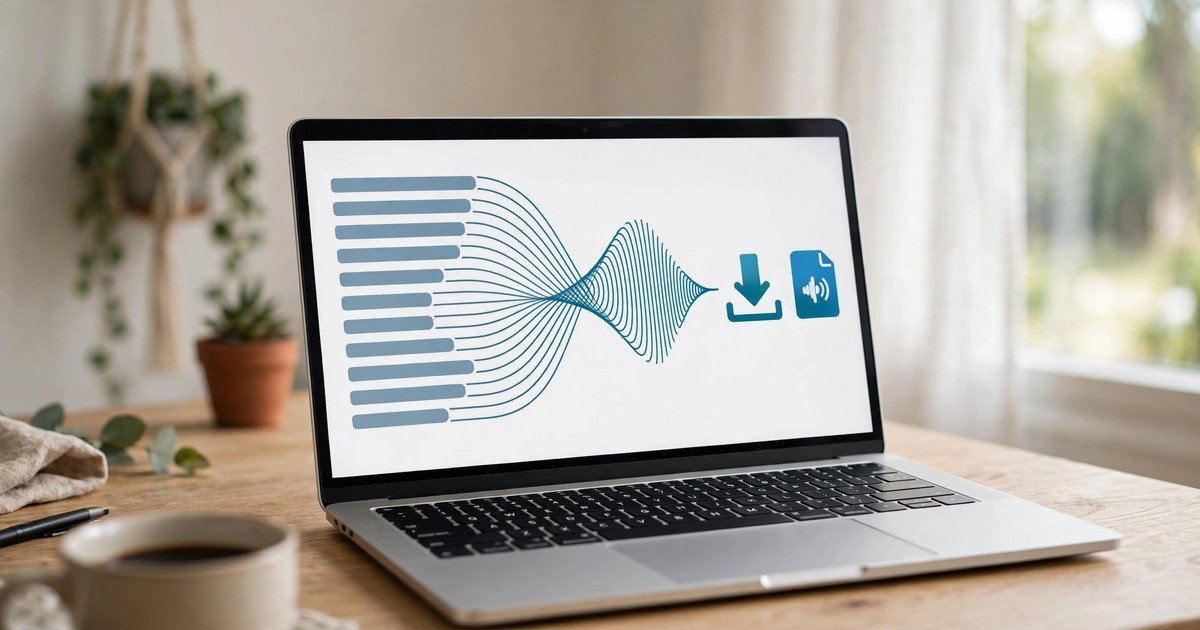
Finally, you download the result as an audio file. If the tool supports MP3 export, you get an MP3 file right away. If the tool only gives you WAV, you convert that WAV file to MP3 with a free converter. Either way, you end up with an MP3 file you can keep and use.
If you want to try it right now, open the free text to speech tool and paste your text. You will hear your words in seconds.
Where People Use These MP3 Files
Once you have your MP3, you can use it in many places. YouTube creators use text to speech MP3 files for voiceovers. They write a script, convert it to audio, and add it to their video. No microphone needed.
Students use MP3 audio to study. They turn long notes into speech and listen while walking or traveling. It is easier to revise when you can hear the words.
Language learners also love this trick. They type sentences in a new language, download the MP3, and listen again and again. Hearing the correct sound helps with speaking.
Podcast makers and bloggers use MP3 voice files for intros, ads, and audio versions of their posts. Some people even make simple audiobooks for personal use. One small MP3 file opens all these doors.
Free Tools That Give You MP3 Audio
Many free tools on the internet turn text into speech. They are not all the same. Some let you download MP3 directly. Others give you a different format, and you convert it yourself in one extra step.
Tools with direct MP3 download are the fastest option. You paste text, pick a voice, and download an MP3 file. Many of these tools have free plans with limits, like a set number of characters per week or per month. That is enough for short scripts, school work, and small projects.
Then there are simple no-signup tools like texttovoice.net. You open the page, paste your text, and download the audio as a WAV file. There is no account and no cost. Since the download is WAV and not MP3, you run it through a free WAV to MP3 converter. It takes less than a minute, and we show you how below.
You can read more about turning written words into sound in our guide to text to audio free.
Compare Free Text to Speech MP3 Options
Here is a quick comparison of popular free options. Free plans change often, so check each site for its current limits.
| Tool | Direct MP3 Download | Signup Needed | Free Plan Limits | Best For |
|---|---|---|---|---|
| texttovoice.net | WAV download, free MP3 conversion | No | Free to use | Quick audio with no account |
| TTSMaker | Yes | Yes, free account | Weekly character limit | Direct MP3 downloads |
| NaturalReader | Limited on free plan | Yes, free account | Daily usage limits | Natural-sounding voices |
| ElevenLabs | Yes | Yes, free account | Monthly character limit | Very realistic voices |
| Online audio converter | Converts WAV to MP3 | No | Free to use | Turning WAV files into MP3 |
If you want zero signup and zero cost, start with texttovoice.net and convert the WAV to MP3. If you want an MP3 file in one step and do not mind a free account, try a tool with direct MP3 export.
How to Convert WAV to MP3 Free
If your tool gives you a WAV file, do not worry. Converting WAV to MP3 is free and takes less than a minute. Here is how most people do it.
Open a free online audio converter. Good known options are CloudConvert and Online Audio Converter. Upload your WAV file to the site. Pick MP3 as the output format. Click the convert button. Then download your new MP3 file. That is it.
You can also use Audacity on your computer. Audacity is a free audio program. Open your WAV file in Audacity, then export it as MP3. This is a good choice if you convert files often and want no uploads.
The sound quality stays good for voice, and the file gets much smaller. A WAV file of several megabytes often becomes an MP3 of less than one megabyte.
Tips for Natural-Sounding MP3 Audio
A few small tricks make your MP3 sound much better.
Write like you speak. Short sentences sound more natural than long ones. Read your text out loud once before you convert it. If a sentence feels hard to say, rewrite it.
Use punctuation to control pauses. A comma gives a short pause. A period gives a longer one. This simple habit makes the computer voice sound more human.
Break long text into small parts. Most free tools have a character limit per task. Small parts also let you fix one section without redoing everything. You can join the MP3 files later with a free audio joiner.
Try different voices and speeds. A slightly slower speed often sounds calmer and clearer. Listen to a short sample before you convert a long text.
Pick a quiet topic-appropriate voice for your project. A friendly voice fits a YouTube video. A calm voice fits a study guide.
Fix Common Problems
Download button not working. Try another browser like Chrome or Edge. Also turn off any ad blocker for the tool page, then try again.
Voice sounds robotic. Slow down the speed a little. Add more commas and periods. Short sentences help a lot.
File is too large to share. Make sure you exported MP3 and not WAV. An MP3 at 128 kbps is plenty for voice and keeps the size small.
Text is too long for one task. Split it into two or three parts. Convert each part, then join the MP3 files.
Audio has strange pauses. Check your text for extra line breaks or dots. Clean them up and convert again.
FAQs
Is text to speech MP3 download really free?
Yes. Many tools offer it free with limits. You can convert short texts, download the audio, and pay nothing. For very long texts or heavy daily use, free plans may ask you to wait or upgrade.
Can I use the MP3 in my YouTube video?
In most cases, yes, when the text is your own. Still, check the terms of the tool you use. Some free plans limit commercial use, so a quick check saves trouble later.
Does texttovoice.net download MP3 directly?
No, and we want to be honest about it. texttovoice.net gives you a free WAV download. You can turn that WAV into MP3 in under a minute with any free online audio converter. The result is a small MP3 that plays everywhere.
What MP3 quality is best for voice?
128 kbps is enough for spoken voice. It sounds clear and keeps the file small. Higher quality only makes the file bigger without much benefit for speech.
Do I need to sign up to download MP3 audio?
Not always. texttovoice.net needs no signup at all. Some tools with direct MP3 export ask for a free account so they can count your usage. Pick the option that suits you.
Why is my MP3 file silent in some players?
This is rare, but it happens when a file did not finish downloading. Download it again and check the file size. A normal one-minute voice MP3 is around one megabyte. If the file is only a few kilobytes, it is broken.
Conclusion
Getting a text to speech MP3 download free online is easy once you know the two paths. Use a tool with direct MP3 export for a one-step download, or use a free no-signup tool like texttovoice.net and convert the WAV to MP3 in under a minute. Both ways give you a small audio file that plays on any device.
Try it now. Paste your text into the free text to speech tool, download the audio, convert it to MP3 if needed, and enjoy listening to your words anywhere you go.