
Free Urdu Text to Speech Online – Complete Voice Guide 2026
You have some Urdu text. Maybe it is a story. Maybe it is a school lesson. Maybe it is a long message from a friend. You want to listen to it instead of reading it. That is possible, and it is free.
Urdu text to speech online free tools turn written Urdu into spoken words. You paste your text, pick a voice, and the tool reads it out loud. This guide explains how it works, which free tools speak Urdu well, and how to get natural-sounding Urdu audio in minutes.
What Is Urdu Text to Speech?
Text to speech, or TTS, is a simple idea. A computer reads written words out loud. Urdu text to speech does this with Urdu words. It reads the Urdu script and says it with the right sounds.
A good Urdu voice knows how to say Urdu letters correctly. It reads words written in the Urdu script, which is different from Roman Urdu.
Many free online tools now offer Urdu voices. You open a website in your browser. You do not need to install any app. You paste your Urdu text, choose a voice, and press a button. The website then speaks your text. If you want to understand the basics of turning written words into sound first, read our guide to text to audio free.
Who Uses Urdu Text to Speech?
Many kinds of people use Urdu text to speech every day. It is not only for tech experts. Anyone who reads Urdu can use it.
Students use it to study. They turn Urdu notes and lessons into audio and listen while walking or traveling. Hearing the lesson helps them remember it better.
YouTube creators use it for voiceovers. They write their script in Urdu, turn it into speech, and add it to their video. This is very popular for channels that make Urdu stories, news, and poetry videos. No microphone is needed.
Parents use it for children. Kids can listen to Urdu stories and poems while looking at the pictures. It helps them learn new words.
Older people use it too. Some have weak eyes and find reading hard. With Urdu text to speech, they can listen to news, books, and messages without straining their eyes.

How Urdu Text to Speech Works
The process is simple, and it is the same on almost every free tool.
First, the tool reads your Urdu words. It breaks the words into small sounds. Then a computer voice says those sounds one after another. Modern tools use AI voices, which sound much more natural than old robot voices. Good Urdu voices pause at the right places and stress the right parts of each word. This makes the voice easy to listen to and understand.
You can usually change the speed of the voice. Slow speed is good for learners and children. Fast speed is good when you want to finish long text quickly.
Free Urdu Text to Speech Tools Online
There are many free tools, but not all of them speak Urdu well. Here are the types you will find online.
Big platforms often have Urdu voices in their free plans. These voices sound very natural. But the free plan usually has limits. You may get only a few minutes of audio per month. You may also need to create an account and sign in.
Then there are simple browser-based tools that use the voices already on your phone or computer. These are free and need no account. The quality depends on your device. Many Android phones already have an Urdu voice built in.
Google Translate is one well-known free option. It can read Urdu text out loud. It is fine for short text, but it has no download button and few voice options.
Simple no-signup tools like texttovoice.net are the easiest to start with. You open the page, paste your text, and listen right away with your browser’s built-in voices. If your device has an Urdu voice, it can read Urdu text out loud too. Note that audio downloads from texttovoice.net use a basic built-in English voice, so for downloadable Urdu audio use a tool with a real Urdu voice from the table below.
Free plans change often, so check each site for its current limits before you start a big project.
Compare Free Urdu TTS Options
Here is a quick comparison of popular free options for Urdu text to speech. Free plans change often, so check each site for its current limits.
| Tool | Urdu Voice | Signup Needed | Free Plan | Best For |
|---|---|---|---|---|
| texttovoice.net | Play uses your browser voice (Urdu possible if your device has one); downloads use a basic English voice | No | Free to use, WAV download | Quick free audio with no account |
| Google Translate | Yes | No | Free to use | Short Urdu text, no download |
| TTSMaker | Yes | Yes, free account | Weekly character limit | Urdu voice with MP3 download |
| NaturalReader | Limited | Yes, free account | Daily usage limits | Natural-sounding voices |
| Narakeet | Yes | Yes, free account | Limited free minutes | Many languages including Urdu |
If you want zero signup and zero cost, start with a simple tool like texttovoice.net. If you want a direct MP3 download and a specific Urdu voice, try a tool with a free account plan.
Tips for a Natural-Sounding Urdu Voice
A few small habits make the computer voice sound much better. Write clean Urdu text and check your spelling before you convert it. Wrong spelling gives wrong sounds.
Use punctuation to control pauses. A comma gives a short pause. A full stop gives a longer one. This makes the voice sound more like a human reader.
Keep sentences short. Long sentences are hard for any computer voice. Break them into small parts. Short sentences also help listeners follow the meaning.
Pick the right speed. A slow speed is better for stories and lessons. A fast speed is fine for news and long articles.
Listen once before you download. Play the audio and check for mistakes. Fix the text and try again. This one check saves you from bad audio later.
Urdu Voiceovers for YouTube Videos
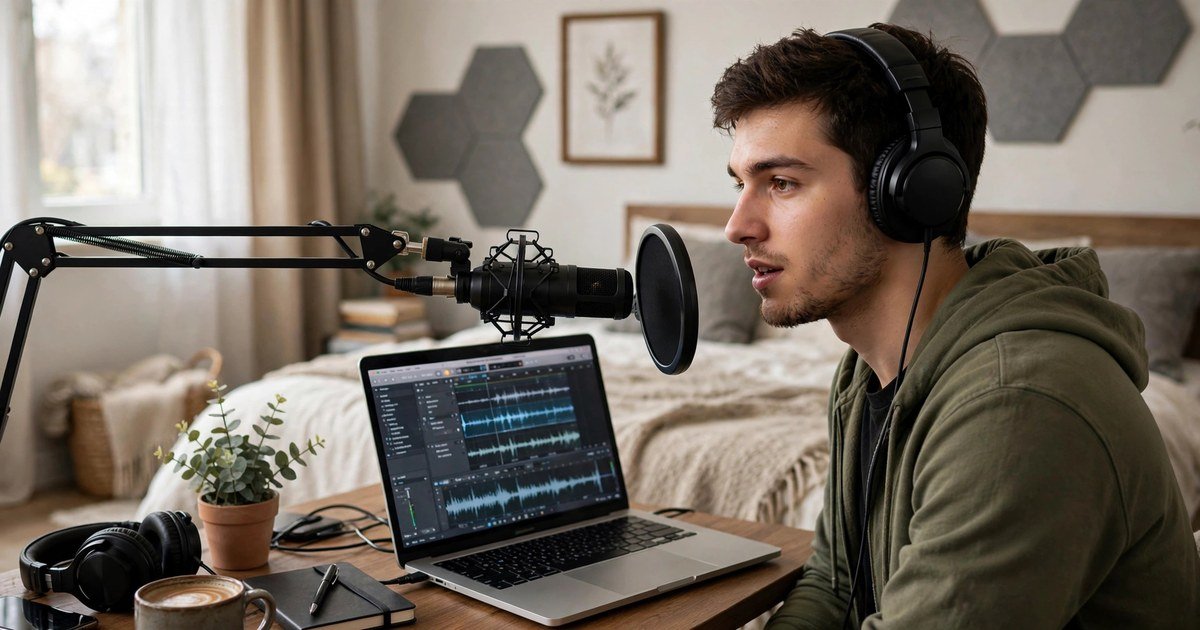
Many Urdu YouTube channels use text to speech for their videos. It is a smart way to make content without a microphone or a quiet room.
The process is simple. Write your script in clear Urdu. Convert it to speech with a free tool. Download the audio. Then add the audio to your video in any free video editor.
If you want the full process in detail, read our guide on how to make a free voiceover for your YouTube videos. If you also want the audio as an MP3 file, see our guide to text to speech MP3 download free online.
Common Problems and Easy Fixes
Sometimes things do not work perfectly. Here are common problems and their easy fixes.
The voice sounds wrong. Some voices are better at Urdu than others. Try a different voice on the same tool, or try another tool. A voice made for Urdu will always sound better.
The tool does not read my text. Check that your text is in the Urdu script, not Roman Urdu. Tools made for Urdu need the real Urdu script to read it right.
The download does not work. Some free tools block downloads on the free plan. Try another tool from the comparison table above. Simple no-signup tools usually let you download without an account.

FAQs
Is Urdu text to speech really free?
Yes. Many tools offer it for free. Some have limits, like a set number of characters per day or per week. Simple tools with no signup are free to use with no limits to worry about.
Can I download Urdu voice audio?
Yes, many tools let you download the audio as MP3 or WAV. If you get a WAV file, you can turn it into MP3 with a free online converter in less than a minute.
Does Urdu text to speech work on mobile phones?
Yes. Most tools work in your phone browser. No app is needed. Many Android phones also have a built-in Urdu voice, so the quality is good on mobile.
How natural does the voice sound?
Modern AI voices sound quite natural. They are not perfect, but they are easy to understand. Voices made specially for Urdu sound the best.
Can I use the audio in my YouTube videos?
Yes, but check the rules of the tool you use. Most free tools allow personal and YouTube use. Some ask you to give credit. Always read the terms of the free plan before you use the audio in monetized videos.
Which is the best free Urdu text to speech tool?
It depends on what you need. For a real Urdu voice with MP3 download, try a tool with a free account plan like TTSMaker. For quick free tests with no account, simple tools like texttovoice.net work well, but their downloads do not speak Urdu. Test two or three tools and pick the voice you like most.
Conclusion
Urdu text to speech is a simple and free way to turn written Urdu into spoken words. You can use it for study, YouTube videos, stories for children, or just to rest your eyes.
Start with a free tool, test the voices, and pick the one that sounds best to you. Write clean text, use short sentences, and listen once before you download.
If you want to try it right now, open the free text to speech tool and paste your Urdu text. You will hear your words in seconds.