TikTok AI Voice Text to Speech: Tips & Tricks
Text-to-speech technology has developed significantly in recent years. Modern AI voices can add pauses, change their tone, emphasize certain words, and produce speech that sounds much more natural than older robotic voices. For TikTok creators, this opens up several possibilities, from educational videos and product explainers to storytelling, tutorials, reviews, and faceless content.
Creating engaging TikTok videos is no longer limited to recording your own voice. Many creators now use tiktok ai voice text to speech technology to turn written scripts into natural-sounding narration. This approach can save time, improve consistency, and make it easier to produce videos when you do not want to appear on camera or record audio yourself.
The key, however, is not simply converting text into audio. Good TikTok content still depends on the quality of the script, pacing, voice selection, visuals, and overall storytelling. When these elements work together, AI narration can become a practical part of a creator’s content workflow.
What Is TikTok AI Voice Text to Speech?
TikTok AI voice text to speech refers to technology that converts written words into spoken audio for TikTok videos. Instead of recording a voice-over manually, a creator writes or pastes a script into a text-to-speech system, selects an available voice, and generates an audio track.
The technology works by analyzing written language and predicting how the words should be pronounced and delivered. More advanced systems can create different speaking styles, including energetic, calm, professional, conversational, or dramatic voices.
For example, a creator making a short video about productivity might write:
“Here are three simple habits that can help you get more done every day.”
A text-to-speech system can turn that sentence into spoken narration. The creator can then combine the audio with videos, images, captions, screen recordings, or animations.
This is particularly useful for creators who want to produce content without recording themselves. It can also help businesses maintain a consistent voice across multiple videos.
Why Are AI Voices Popular on TikTok?
TikTok rewards content that captures attention quickly. Creators often need to publish frequently while maintaining quality. Recording a separate voice-over for every video can take considerable time, especially when multiple revisions are necessary.
AI narration reduces some of that work. Once the script is ready, the creator can generate the voice-over relatively quickly and make changes without setting up a microphone or recording environment.
Another advantage is consistency. A creator who publishes several educational videos may want the same general voice and delivery style throughout the series. A consistent AI voice can help create a recognizable content identity.
There is also a growing demand for faceless TikTok channels. These accounts may rely on narration, stock footage, screen recordings, animations, product demonstrations, or other visuals instead of showing the creator’s face.
For these creators, tiktok ai voice text to speech can become an important part of the production process.
How Does AI Text-to-Speech Work?
Although the technology behind AI voices is complex, the basic process is relatively simple for users.
Step 1: Write a Script
Everything begins with written content. The script should be designed for spoken delivery rather than copied directly from a formal article.
Short sentences usually work better because they are easier to understand when heard. Instead of writing:
“Artificial intelligence technology has experienced substantial development, resulting in significant improvements in the quality and naturalness of synthetic speech.”
A TikTok script could say:
“AI voices have become much more natural. Today, some can sound surprisingly close to a real speaker.”
The second version is easier to listen to and better suited to short-form video.
Step 2: Choose a Voice
Most text-to-speech platforms offer multiple voices. The best choice depends on the subject and audience.
An energetic voice might work well for entertainment content. A calm voice may suit meditation or educational videos. A confident voice could be useful for product explainers or business content.
The voice should match the personality of the video rather than simply being the most realistic option available.
Step 3: Generate the Audio
After selecting a voice, the system processes the script and creates an audio file. Depending on the platform, users may be able to control speed, pitch, pauses, pronunciation, or emotional delivery.
This step is where creators should listen carefully. Even a technically good AI voice can sound unnatural if the script contains awkward punctuation or complicated sentences.
Step 4: Edit the Voice With Your Video
The generated narration can then be imported into a video editor. Creators can synchronize the spoken words with clips, images, captions, transitions, and sound effects.
Timing is particularly important. If the narration moves faster than the visuals, viewers may struggle to follow the video. If it is too slow, the content can feel boring.
How to Write Scripts for AI Voiceovers
The quality of the generated voice depends heavily on the script. A strong script gives the voice technology better material to work with.
Start with a hook. TikTok viewers decide very quickly whether they want to continue watching, so the first sentence should create curiosity or communicate immediate value.
For example:
“Most people are using this productivity trick the wrong way.”
This is more attention-grabbing than:
“Today, we are going to discuss productivity.”
After the hook, deliver the main information quickly. Avoid unnecessary introductions and repeated explanations.
Use punctuation strategically. Commas can create short pauses, while full stops can create stronger breaks. If a platform supports pronunciation controls, difficult names and technical terms may need additional adjustments.
Reading the script aloud before generating the final audio is also useful. If a sentence sounds awkward when spoken by a human, it will probably sound awkward when converted into AI narration.
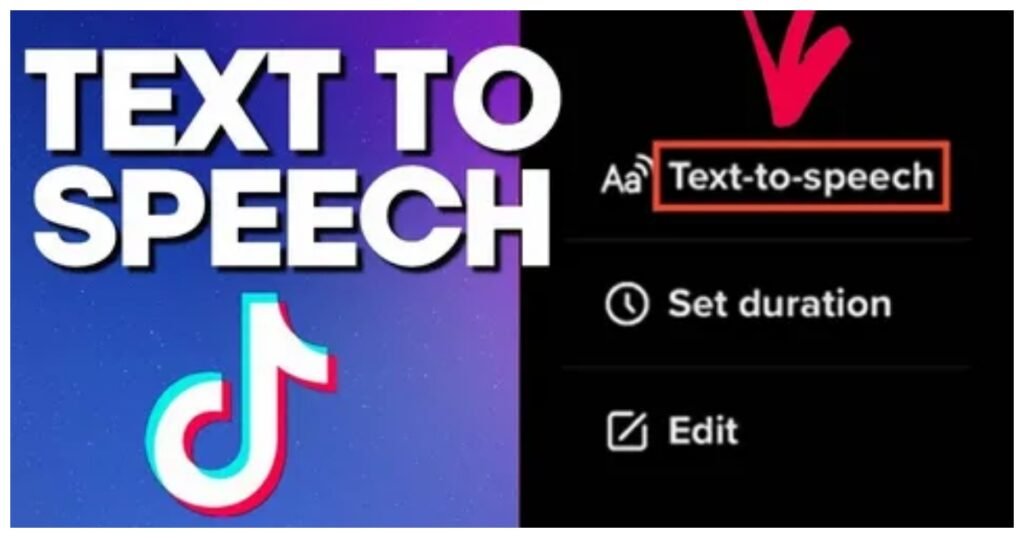
Making AI Voices Sound More Natural
One common mistake is assuming that realistic AI voices automatically produce realistic narration. The voice model matters, but the script and editing matter just as much.
Use Short Sentences
Long sentences can make narration sound rushed or difficult to follow. Break complicated ideas into smaller statements.
Add Natural Pauses
Punctuation can help control the rhythm. Strategic pauses also give viewers time to understand important information.
Avoid Excessive Formal Language
TikTok is generally conversational. Scripts should sound like someone talking to another person rather than reading a textbook.
Match the Voice to the Topic
A serious financial explanation may require a different delivery style from a funny storytelling video. Choosing an unsuitable voice can make otherwise good content feel disconnected.
Review the Full Audio
Always listen to the complete voice-over before publishing. Watch for incorrect pronunciations, strange pauses, unnatural emphasis, and words that sound different from what you intended.
These small details can make a major difference in how professional a video feels.
Best TikTok Content Ideas for AI Voiceovers
AI narration can work across many types of TikTok content. It is particularly useful when the information matters more than the creator appearing on camera.
Educational Videos
Educational accounts can explain concepts, facts, tutorials, and quick lessons using narration over visual content.
For example, a technology account could explain how a particular software feature works while showing a screen recording.
Storytelling
Short stories are another strong use case. Narration can guide viewers through unusual events, historical moments, fictional stories, or interesting personal experiences.
The voice should match the mood. Dramatic stories may benefit from deliberate pacing, while lighter stories can use a faster conversational delivery.
Product Demonstrations
Businesses can use AI narration to explain product features while showing the product on screen. This can be especially useful for ecommerce brands that need to produce multiple promotional videos.
List Videos
“Five things you didn’t know about…” and “Three mistakes people make when…” formats are naturally suited to voice-over content.
The narrator can introduce each point while captions and visuals reinforce the information.
Tutorials
Screen-recorded tutorials often benefit from narration because viewers can hear instructions while watching the process.
This is useful for software tutorials, design tips, mobile app demonstrations, and other instructional content.
TikTok AI Voice Text to Speech vs. Recording Your Own Voice
AI narration is not automatically better than human narration. Each approach has advantages.
Recording your own voice gives the content a personal quality. Viewers may connect more strongly with a recognizable creator, especially when the account is built around personality and personal experience.
AI narration, on the other hand, can provide speed and consistency. It is convenient when a creator does not have a suitable recording environment or does not want to use their own voice.
The right option depends on the content strategy.
A personal brand may benefit from authentic human narration, while a faceless educational channel may find AI narration more practical.
Creators can also combine both approaches. For example, a video could begin with the creator speaking directly to the audience and use AI narration for supporting information.
Common Mistakes to Avoid
Using AI narration does not guarantee successful TikTok content. Several mistakes can reduce viewer engagement.
Making Videos Too Long
Adding AI narration makes it easy to produce more information than the audience needs. Short-form content should remain focused.
If a point can be explained in ten seconds, there may be little reason to stretch it to thirty seconds.
Using a Robotic Voice
Not every available voice sounds natural. Test several options and listen to how they handle your actual script.
Ignoring Captions
Many viewers watch short-form videos without sound. Captions can make spoken content easier to understand and can reinforce important points.
Poor Visuals
A good voice cannot compensate for boring or unrelated visuals. The narration and video should support each other.
Speaking Too Quickly
Fast narration may allow more information to fit into a video, but it can reduce comprehension. Prioritize clarity over squeezing every possible word into the available time.
Overusing Trends
Trends can help content reach new viewers, but they should support the topic rather than distract from it. A strong concept remains more important than simply copying a popular format.
How to Build an Efficient AI Voice Workflow
Creators producing content regularly can save time by creating a repeatable process.
Start by collecting several video ideas. Turn the strongest ideas into short scripts and review them before generating audio.
Next, create the voice-over in batches. Producing several audio files during one session can make the workflow more efficient.
After that, edit the videos and synchronize the narration with visual elements. Add captions, transitions, music, and other supporting elements where appropriate.
Finally, review each video from a viewer’s perspective. Ask whether the opening is interesting, whether the narration is easy to understand, and whether the visuals add value.
This workflow can make content production more predictable while still leaving room for creativity.
Can AI Voice Content Be Monetized?
AI-generated narration itself does not automatically determine whether content can be monetized. What matters is the overall quality, originality, value, and compliance with the rules of the platform or monetization program involved.
Creators should avoid simply copying existing articles, videos, or scripts and converting them into AI audio. Repetitive or low-value content can struggle to build an audience even if the production process is technically efficient.
Original research, useful explanations, unique storytelling, personal analysis, and genuinely helpful tutorials provide much stronger foundations.
Businesses should also be careful when using recognizable voices. A voice that imitates a real person can create ethical, legal, or platform-related concerns, particularly when viewers could reasonably believe the person actually made the statement.
Using a generic licensed or properly authorized voice is generally a safer approach.
The Future of AI Voice Content on TikTok
Voice technology will likely continue becoming more expressive and flexible. Better pronunciation, emotional control, pacing, and conversational delivery can make synthetic narration increasingly useful.
However, technology does not replace creative judgment. TikTok audiences still respond to interesting ideas, useful information, strong storytelling, personality, and authentic communication.
The creators who benefit most from AI tools are likely to be those who use them to improve their workflow rather than relying on them to create everything automatically.
A voice can deliver a message, but the idea behind the message is what gives the video value.
Tips for Better Results With tiktok ai voice text to speech
When using tiktok ai voice text to speech, keep the following principles in mind:
- Write for listening, not reading.
- Start every video with a strong hook.
- Keep sentences short and conversational.
- Choose a voice that matches the topic.
- Use punctuation to create natural pauses.
- Listen to the complete audio before editing.
- Synchronize visuals with important spoken points.
- Add readable captions.
- Avoid unnecessary information.
- Keep the content original and useful.
- Test different voices and speaking speeds.
- Review the finished video before publishing.
These habits can make AI-assisted content feel much more intentional and professional.
Is AI Voice Right for Your TikTok Strategy?
The answer depends on your goals. If you need to publish frequently, create faceless videos, explain information, or produce content without recording your voice, AI narration can be extremely useful.
If your strategy depends heavily on personal connection, humor, or a recognizable personality, your real voice may remain more effective.
There is no reason to treat the two methods as competitors. They can serve different purposes within the same content strategy.
A creator might use their own voice for opinion videos and personal stories while using AI narration for tutorials, list videos, product demonstrations, and informational clips.
The most effective approach is the one that improves production without making the content feel generic.
Conclusion
tiktok ai voice text to speech technology has made voice-over production faster and more accessible for creators, businesses, and faceless channels. Instead of spending time recording and rerecording every sentence, creators can turn a carefully written script into narration and focus more attention on storytelling, visuals, editing, and audience engagement.
The technology works best when it supports strong content rather than replacing creativity. A natural-sounding voice cannot fix a weak idea, confusing script, or poor video structure. On the other hand, a well-written script combined with appropriate narration and engaging visuals can create polished short-form content efficiently.
Whether you are producing tutorials, educational videos, product explainers, stories, or list-based content, AI narration gives you another way to communicate with your audience. Experiment with different voices, pacing, scripts, and formats to discover what fits your channel best.
The goal should not be to make every video sound artificial or identical. The goal is to use modern voice technology as a practical creative tool while keeping the content useful, original, and enjoyable for real viewers.